

Google Search Console is one of your best friends to run your site effectively on Google. If you think about the questions: How is my website performing on search engines? Why aren’t my pages appearing in the search? Or Is there something broken in my site?
All your questions have only one answer search console - a free tool that gives you exactly what you are looking for. Let’s dive into what it is, how to use it and why it matters.
What is Google Search Console (GSC)?
Imagine if Google sent you a performance report for your website every day with tips, errors and data you can act on. That’s precisely what Google Search Console does.
Google Search Console is a free platform by Google that lets you monitor how your website performs in Google Search. Your website's health check + performance dashboard + SEO assistant all rolled into one.
You get to see:
- What keywords you're appearing for
- How many clicks your site gets from search
- Whether Google is indexing your pages
- If your site is mobile-friendly
- And if any tech or security issues are hurting your rankings
Whether you are an amateur or a pro, GSC is your go-to toolkit.
How to add your website to Google Search Console ?
If you are thinking this sounds good, but it needs loads of tech knowledge, no, it doesn’t. Way easier than you think it is…
Ready to set it up?
Step1: Go to the GSC homepage
Go to googlesearchconsole.com and sign up with your Google account.
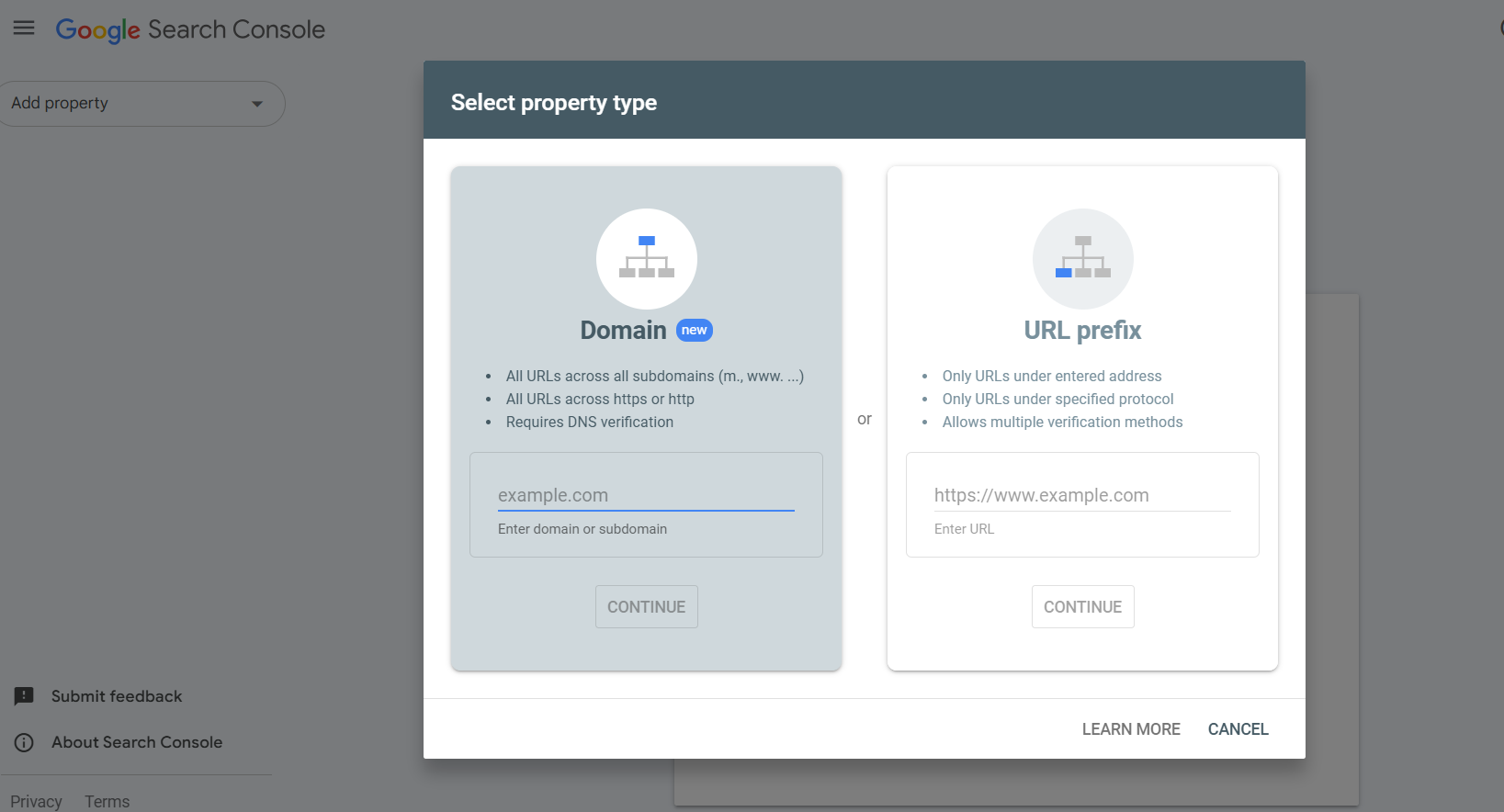
Step 2: Choose a property type
You’ll get two options:
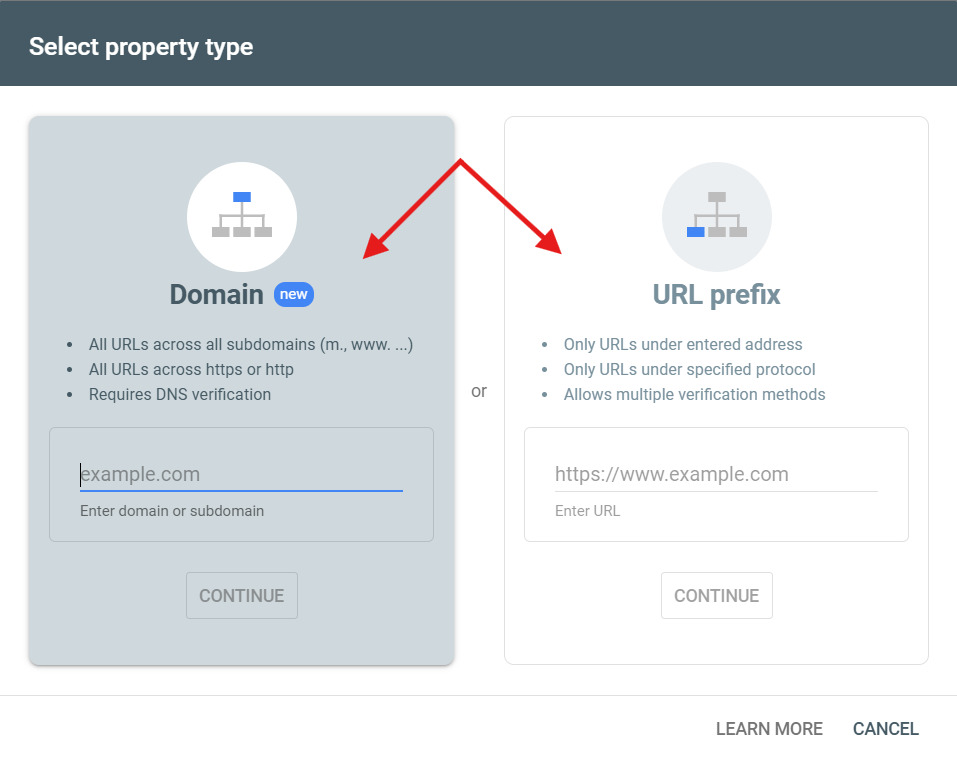
- URL Prefix – tracks just the exact URL.
- Domain Property- tracks everything across your whole domain.
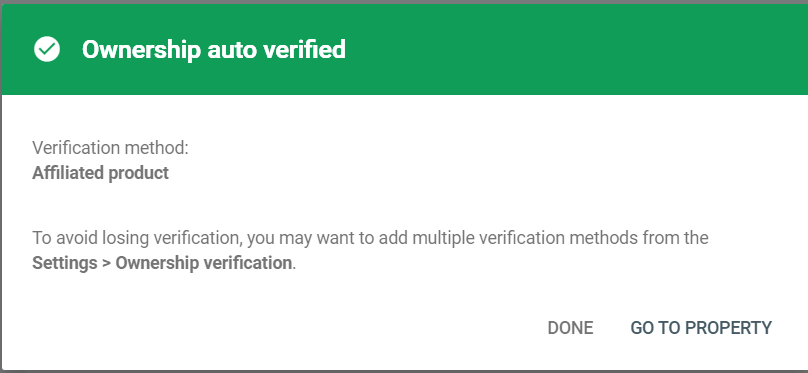
Step 3: Verify your site:
Google needs to check that you own the site. Ways to verify:
- Upload a file to your website
- Use a Google Analytics or Google Tag Manager Account
- Add a snippet of code to your Domain Name System(DNS) settings.
And here you are in the system, it might take 2 to 3 days to show you the updated data and metrics needed.
What can you do with Google Search Console (GSC)?
It can track your performance and give you a report on indexed pages. It shows how your site works on different devices. It provided updated data on indexed pages. Tracks performance data and highlight security and manual problems.
See what keywords people use to find you
Go to the performance report and check:
- What search queries are you ranking for
- How many clicks each one gets
- Your average position in Google
- Your Click-through-rate [the total clicks you get, out of total impressions]
You can use these insights to optimize content and boost rankings around the keyword you didn’t know you were ranking for.
Submit Your Sitemap
A sitemap tells Google crawler the structure of your website. At the Sitemaps section, paste in your sitemap URL and hit submit.
Find and fix technical issues
With GSC, you can:
- Find crawl errors
- See if pages aren’t getting indexed
- Check if your robots.txt is blocking important pages.
Check your site’s mobile friendliness
Most of the Google searches happen on mobile. GSC shows you if your site has issues like:
- Small text
- Buttons too close together
- Content wider than the screen
Monitor Core Web Vitals
- Largest Contentful Paint (LCP): The amount of time your content takes to load.
- Interaction to Next Paint (INP): This measures how responsive a page is to user actions like clicks, taps, or keyboard inputs.
- Cumulative Layout Shift (CLS): The unexpected shift in page layouts.
Security Alert and Manual Issues
Google will alert you inside GSC if:
- Your site has been hacked
- Malware is detected.
- You broke the search rules and got a manual penalty.
What do different Tabs in GSC dashboard mean and what can they do?
Google Search Console directly interprets Google’s interaction with your site. Yet, to leverage it the most, you need to understand what each tab does. Let’s get straight into it tab-by-tab metric-by-metric. To start with:
Overview: Quick all metrics demonstration
The homepage of GSC, where you get a summary of all three key areas – Performance, Indexing and Experience. You can directly go to the detailed report for any metric from here.
Why it matters: This is the first thing you check to see what’s happening. You can discover your site's ranking, identify which keywords receive the most clicks, and check which pages remain unindexed.
Performance: What, when, from where search happens
It discloses how people are discovering your site in the search bar and what’s the next step they are taking after finding you. Key metrics shown on this page are:
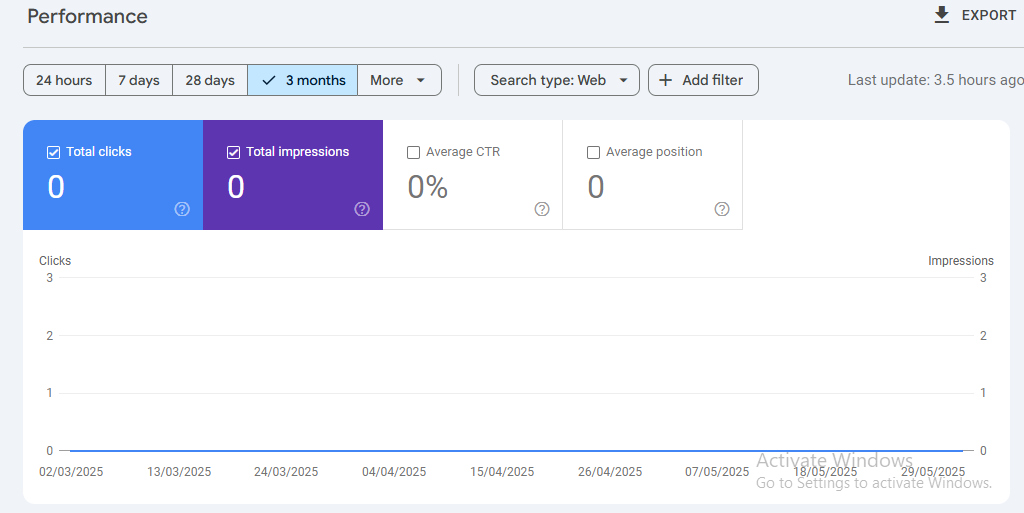
- Clicks: The number of times users clicked on your link from search results.
- Impressions: The number of times your page appeared in someone’s search results, whether they clicked it or not. You can use this metric to find the new keyword that your content is ranking for.
The high number of impressions and low clicks – time to check your meta title and meta description [they make the first impression of yours]
- CTR [Click-through-rate]: (Clicks / Impressions) * 100. Low CTR yet ranked on 1st page – You have to improve your snippet [meta title and description].
You have a high CTR, but don’t get ranked. You need to improve your targeting and find new keywords.
- Average Position: The average rank of your website for all searches during a chosen timeframe.
URL Inspection: Real-time inspection of crawling and indexing
Check if Google can look at your updated content. Key results are shown under this tab:
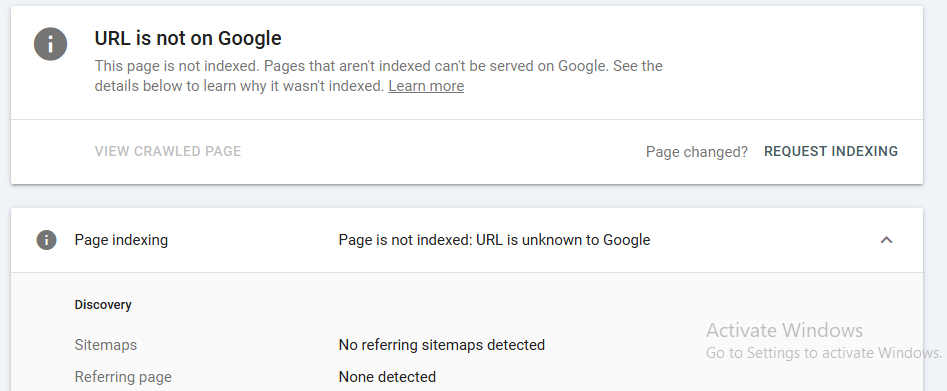
- Indexing Status: This shows whether the page is indexed or not by Google.
- Last Crawl: When Googlebot last visited this URL.
- Crawled As: What type of bot did Google use?
- User-Declared Canonical vs. Google-Selected Canonical: This checks of Google is using the canonical tag you set.
- Canonical: This checks of Google is using the canonical tag you set.
- Mobile Usability & Core Web Vitals: Page-specific health checks.
Indexing Tab
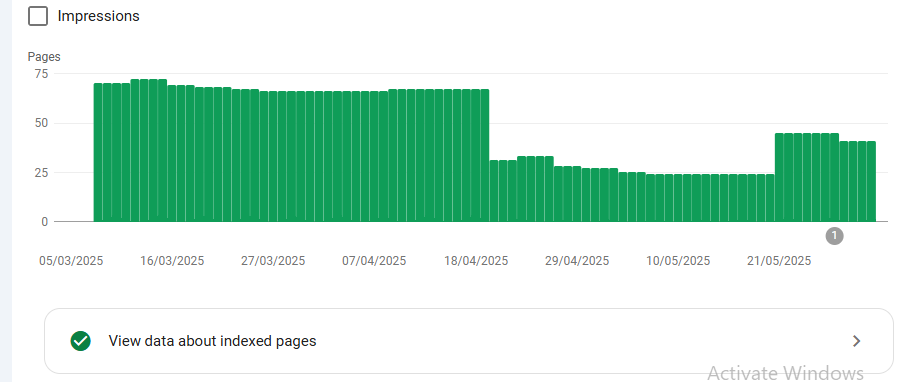
Pages: Know what the audience can find:
Determine which pages Google indexes and which ones it does not, and explain the reasons. The page status can be:
- Indexed: Shown to audience and working.
- Not indexed: This includes issues like 404 errors, 403 errors, server errors, or redirect loops. Google may also exclude pages on purpose because of duplicate content or alternate pages with canonical tags.
- Discovered- currently not indexed: It means Google has found your website page but hasn’t yet crawled or indexed it.
Sitemaps: Your website navigator
Sending Google your sitemap helps them find your best content quickly. It also alerts them to important site updates or changes in navigation, which can speed up reindexing. Insights you will get on this page:
- Submitted URLs - How many pages you’ve told Google about?
- Indexed URLs - How many URLs from the sitemap have indexed?
- Last Read - When Google last crawled your sitemap.
- Errors - Issues with sitemap formatting or unreachable URLs.
Experience Tab
- Core Web Vitals: User Experience Metrics
Google wants to rank sites that feel fast and smooth. This is where you’ll track page experience signals.
- LCP [Largest Contentful Paint]: Time to load the largest visible element on the screen.
- INP [Interaction to Next Paint]: Measures delay when users interact with your page.
- CLS [Cumulative Layout Shift]: Measures unexpected movement of elements during load.
HTTPs: Make sure your site is secured
Which URLs are secured and which are not as per Google t&c.
Security and Manual Actions
- Manual Actions: Keep your site clear
These are Google penalties applied by a human reviewer for breaking search guidelines like spammy backlinks, cloaking or more. - Security Issues: React fast to any penalty or threat
Triggered when your site gets hacked, contains malware or has deceptive pages.
- Links: Your internal & External Link profile
It gives you a simple understanding of your link structure. What you will see:- Top linking sites (external backlinks)
- Top linked pages (your most linked-to content)
- Top linking text (anchor text)
- Internal links (shows how well your pages connect)
Why Google Search Console is Important?
By now, it’s clear that to rank on Google, you must know what’s working and what’s not. That’s exactly what GSC shows you:
- SEO insights you can act on: GSC tells you what’s working and what’s not.
- Performance optimization: See what keywords and pages are driving traffic. Double down on what works.
- Fix indexing issues fast: Learn which pages are invisible to Google and why.
- Stay on top of your site’s health: By monitoring mobile performance, page speed, and security risks
- Find the keyword gaps: Find the missing keywords and make your current content work even harder.
You will find easy opportunities to boost traffic with better-optimized content and ranking keywords.
Need help with setup, data interpretation or SEO strategy? That’s exactly our focus. Let’s make your site Google’s favourite place to visit. spaceedgetechnology.com
Want results like this for your business?
Book a free marketing audit and see exactly where your growth opportunities are.
Get Free Audit →